Please read...
Since writing this - I've received quite a few requests from businesses wanting help with their marketing.
While I appreciate it - I'm not accepting new clients right now.
I prefer spending my time on research and testing - so I can write more stuff like this :)
The Flywheel Effect:
How Google Business scales traffic and revenue
Google My Business is now called Google Business Profile. To keep things simple - I'll refer to it as Google Business in this article.
Google Business is the most overlooked source of customers in 2023.
Most business owners think it's just a place to collect reviews...
But when it gets the attention it deserves - it can be your primary source of new customers.
If you're in charge of growing your company - this article will show you how a single listing can drive 6-7 figures in annual revenue.
I'll be using real world data and in-depth examples - to illustrate how powerful Google Business can be.
Let's get started.
What's on this page:
- Qualified traffic is king
- Google Business is one big feedback loop
- It's top 3 or bust...
- The Ranking Radius: The key to consistent rankings
- Achieving category dominance
- How exactly can you leverage Google Business?
- Who's Shawn Joshi?
Qualified traffic is king
First - we need to talk about the relationship between traffic and revenue.
Because all traffic is not created equal.
You could get 10,000 visits to your website - without making a single dollar...
Or you could get 100 visits - that turn into 5 high-paying clients.
This is the difference between unqualified and qualified traffic.
As business owners, our focus should always be on qualified traffic:
Qualified traffic is a group of people - who have a real interest - in what you're offering.
They also have the buying power (money) - to take action.
Google Business is a powerhouse at driving qualified traffic...
Because your listing will rank for the best "money keywords" in your market.
These are the keywords people use - when they're in a buying mindset.
They've got their wallet out - and have already made the decision to buy. And now they're choosing who to spend their money with.
All else equal...
More qualified traffic >> leads to >> more revenue.
Now that we're focused on the right kind of traffic - let's get to the good stuff.
Google Business is one big feedback loop.
Google wants to reward good businesses - with better visibility in search results.
They have a vested interest in this - because keeping searchers happy means they'll continue using the search engine.
(And this means they'll continue printing money through ad revenue.)
To do this - they built a feedback loop into their algorithms:
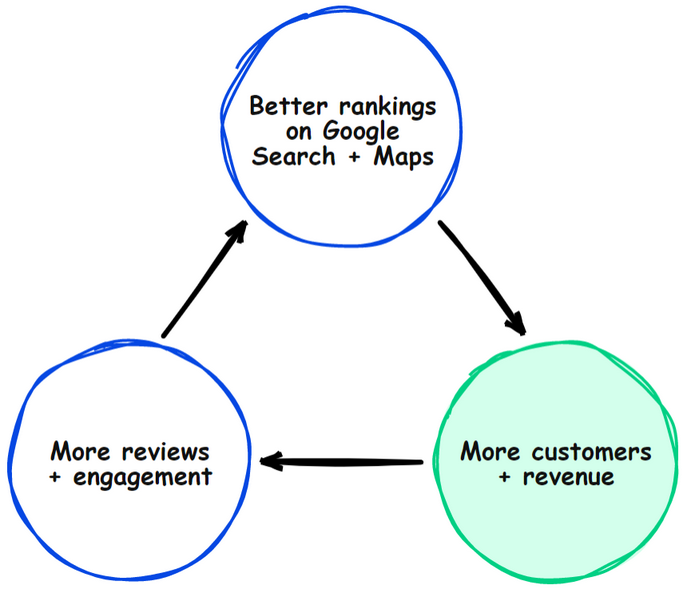
Here's how it works:
- Optimizing your listing drives better rankings on Google Search and Maps.
- Those rankings drive new customers to your business.
- Those customers add more reviews and engagement to your listing.
- This accelerates your visibility - which gets you even more customers.
Most importantly - your revenue grows.
On the surface this makes sense...
But when we dig deeper - there's confusion around "better rankings".
Most business owners have an internal dialogue - that goes like this:
"You can only grow your rankings so much.
If you're already ranking #1 for your keyword - you can't go any higher - and you can't get more traffic."
If this sounds familiar - it's not your fault.
It just means no one explained the underlying mechanics of the platform.
You can think about your listing's performance in three dimensions:
- The Local Pack
- Ranking Radius
- Category Dominance
I'll explain each - and then I'll show you how they work together to multiply revenue.
It's top 3 or bust...
Most business owners define success with Google Business - and SEO in general - based on top 10 rankings.
"Ranking #1 is better than ranking #5. But as long as we're in the top 10 - we'll still get traffic."
This isn't true with Google Business.
Instead - it's a top-3-take-all environment.
Ranking in the top 3 for Google Business is all that matters.
This means your listing gets featured in the "local pack":
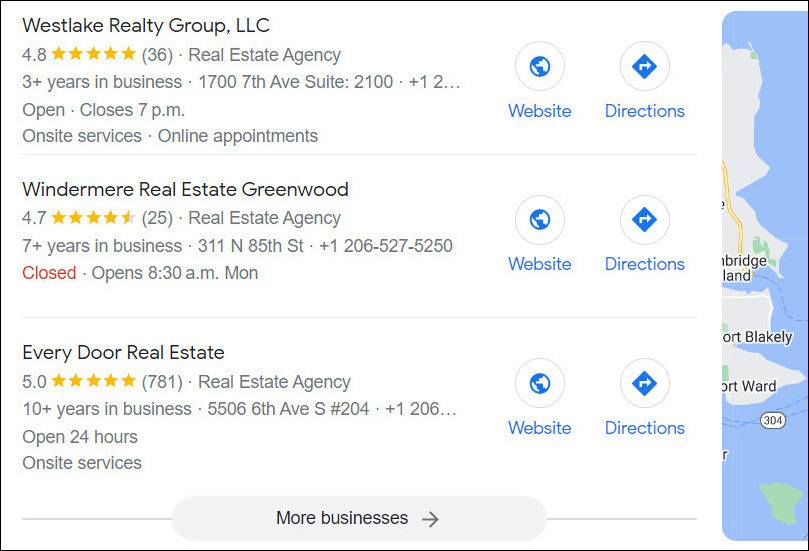
If you're not in the local pack...
Then you don't exist - from the searcher's perspective.
That's because only 6% of all searchers will click the "more businesses" tab:
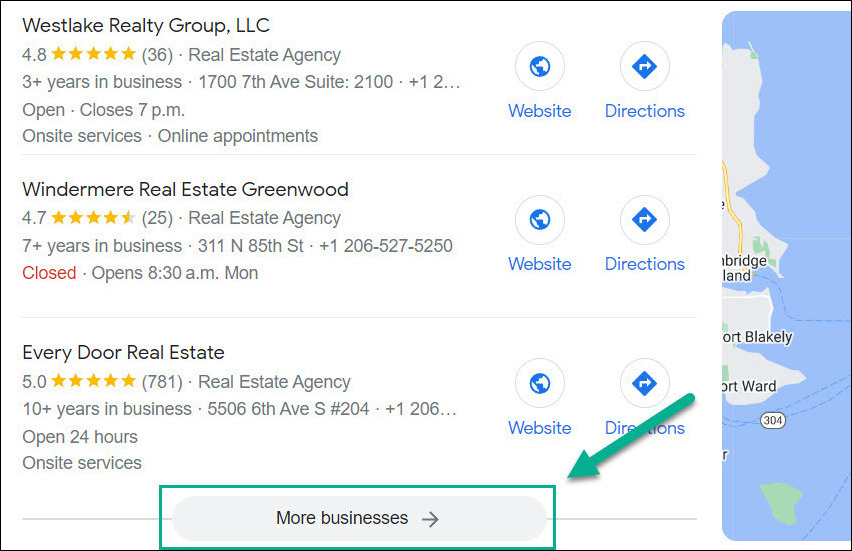
But here's the good news:
Once you're in the local pack - it doesn't matter if you're ranking #1, #2, or #3.
According to studies from BrightLocal, Sistrix, and my own user tests...
The #2 and #3 results get as many clicks as the #1 result.
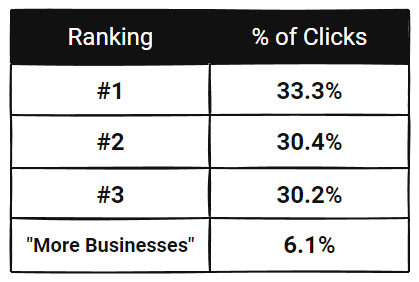
Key points:
- The local pack is all-or-nothing.
- If you're in it - you're rewarded with traffic and revenue.
- If you're not in it - you're invisible.
Now - let's talk about getting in the local pack consistently.
Checkpoint: Skip to the Execution Plan for a complete framework on getting more customers. Or keep reading for more.
The Ranking Radius
Search results are a one-time snapshot of your listing's rankings...
Where your business may - or may not - be in the local pack.
Example: Bill sells car insurance in Houston.
He searches "car insurance in Houston" - and sees his business ranking #1 in the local pack:
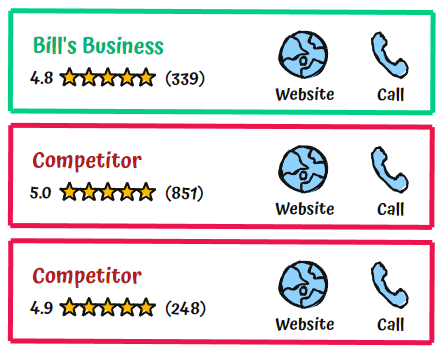
But it doesn't mean his listing will show up for every person that searches "car insurance in Houston":
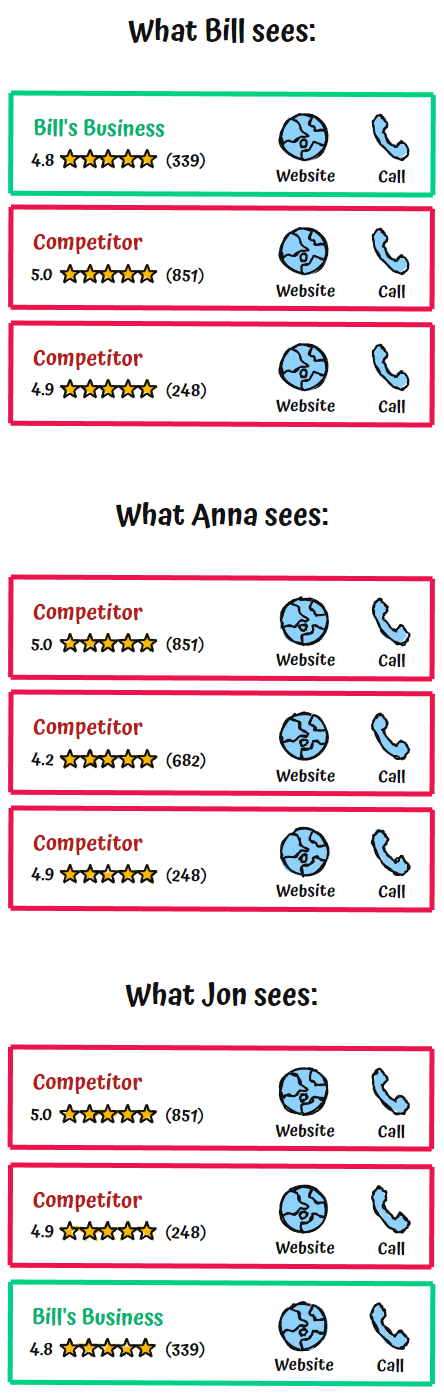
The ranking radius plays a huge role in this.
It shows your listing's rankings - in relation to the searcher's location.
Here's an example for a top performing listing.
It's in the local pack (top 3 rankings) - regardless of where the search is being done:
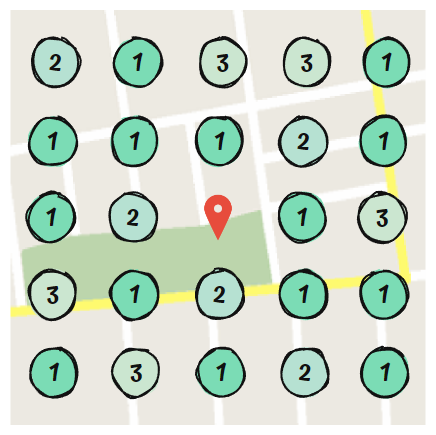
Now - here's the ranking radius for a poor performing listing:
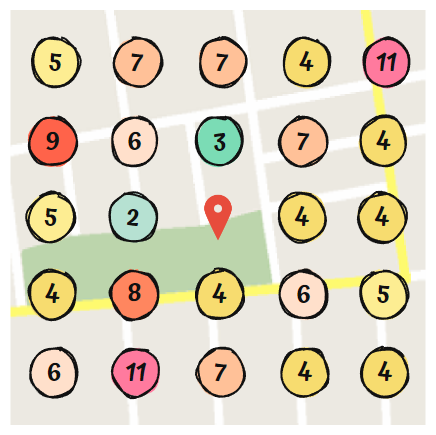
Notice how it only has top 3 rankings in two areas?
Google is rewarding the first listing with better rankings. And it's burying the second listing.
So - we know what the ranking radius is...
But how does it impact your qualified traffic?
(Remember: qualified traffic = revenue.)
To explain - we need to bring search volume into the conversation.
Let's continue with the example of "car insurance in Houston".
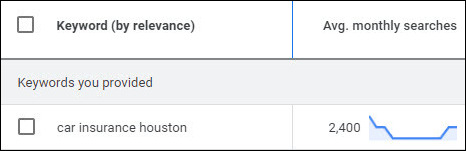
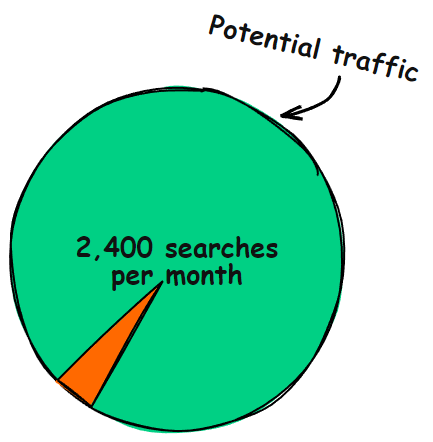
According to Google's Keyword Tool - it gets 2,400 searches per month:
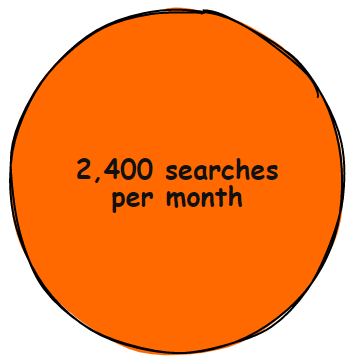
Here's all that search traffic - as a pie chart:
If you have a poor ranking radius - it means your listing is only shown for a fraction of those searches:
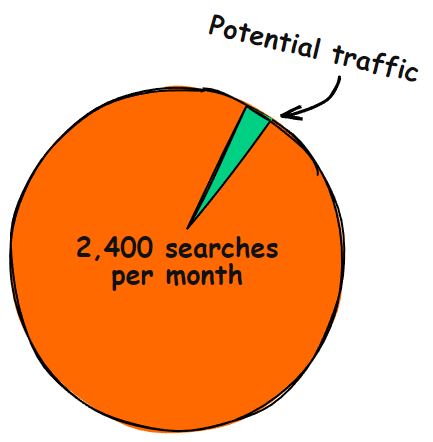
But if you have an optimized ranking radius - your potential traffic looks like this:
Now let's go a level deeper - to show you how traffic and revenue really scale.
Category Dominance
To this point - everything we've covered is at the level of individual keywords.
But Google Business works at the category level.
The platform let's you set business categories for your listing:
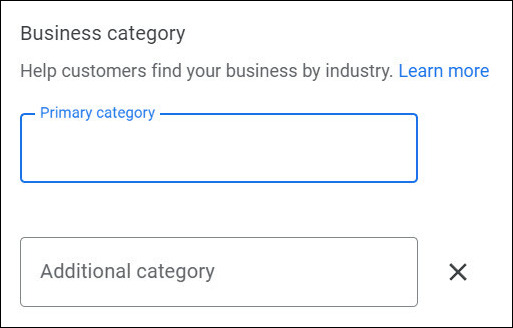
Each business category represents groups of keywords.
Back to Bill's car insurance business...
He adds Auto Insurance Agency to his listing:
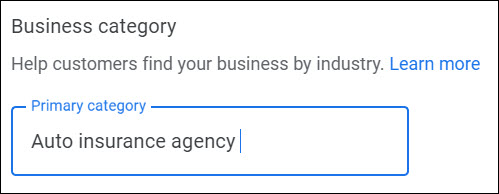
So - instead of only ranking for "car insurance in Houston"...
Google can rank Bill's listing for hundreds of related keywords in that category.
Some examples:
- "car insurance quotes Houston"
- "best auto insurance Houston"
- "affordable car insurance Houston"
- "car insurance companies Houston"
- "best new vehicle insurance in Houston TX"
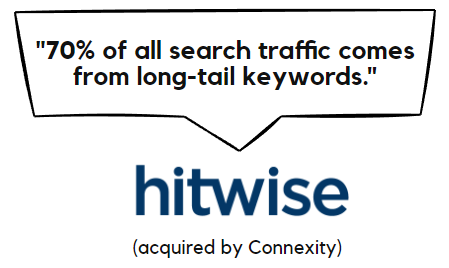
Many of these keywords are long-tail keywords.
(Keywords that have low search volumes.)
But when you add them up...
Long-tail keywords lead to more traffic than popular keywords.
Like many business owners - Bill only pays attention to a few keywords...
And ignores everything else.
Because of this - he thinks his listing has limited potential:
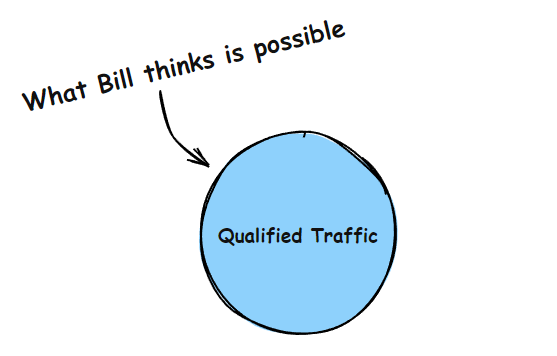
But when you account for the hundreds of related keywords - his listing's real potential is much higher...
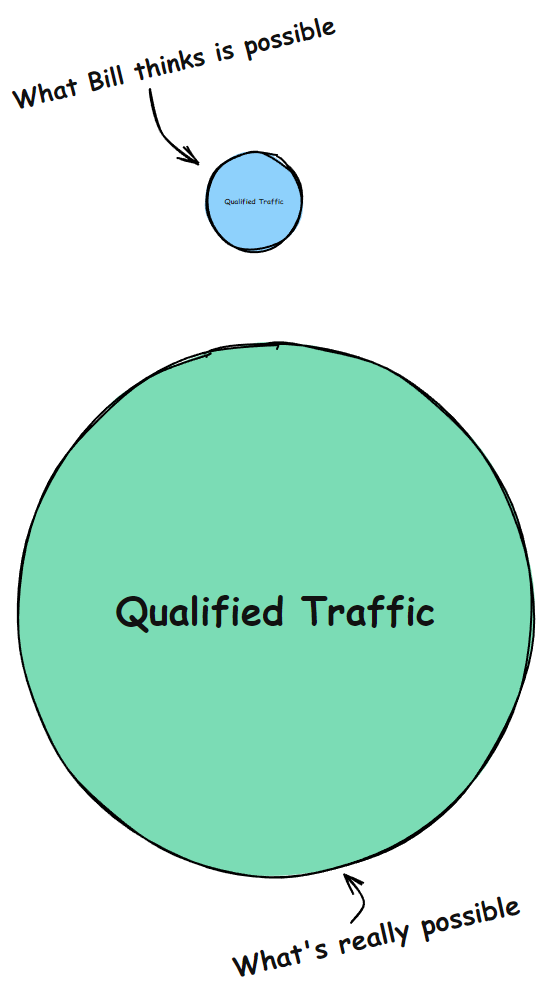
The best part:
It only take a little extra effort - to rank for all of these keywords.
Because - as your listing's authority grows...
So do your total rankings.
Now we know the *mechanics* of Google Business...
More specifically - we know what success looks like:
- You need to rank in the local pack - or your business won't be found.
- To get in the local pack consistently - you need to maximize your ranking radius.
- And you can scale your listing's visibility - across hundreds of related keywords.
Make these 3 things happen - and you'll unlock an avalanche of qualified traffic...
People who are actively searching for what you're offering - and are ready to buy.
At this point - you may be wondering:
"How do I put this to work for *my* Google Business listing?"
On the next page - I'll introduce the process for optimizing your listing.
This is what sets everything in motion.
Who's Shawn Joshi?

I love helping companies build leverage into their digital marketing.
These days - that's done through large-scale research and writing.
Some career highlights:
- Consulted for companies ranging from 1-person startups to 10-figure enterprises.
- Former agency director.
- I've run high-pressure, pay-for-performance campaigns across the world (in 7 languages).
- I've personally optimized 1,200+ Google Business listings.